Press Kit
Everything you need to write about Window Organizer. Want to try it first? Email appdevbymwc@gmail.com and we’ll send you a free licence.
At a glance
- What it is: a menu-bar app for the Mac that puts any window exactly where you want it with one move.
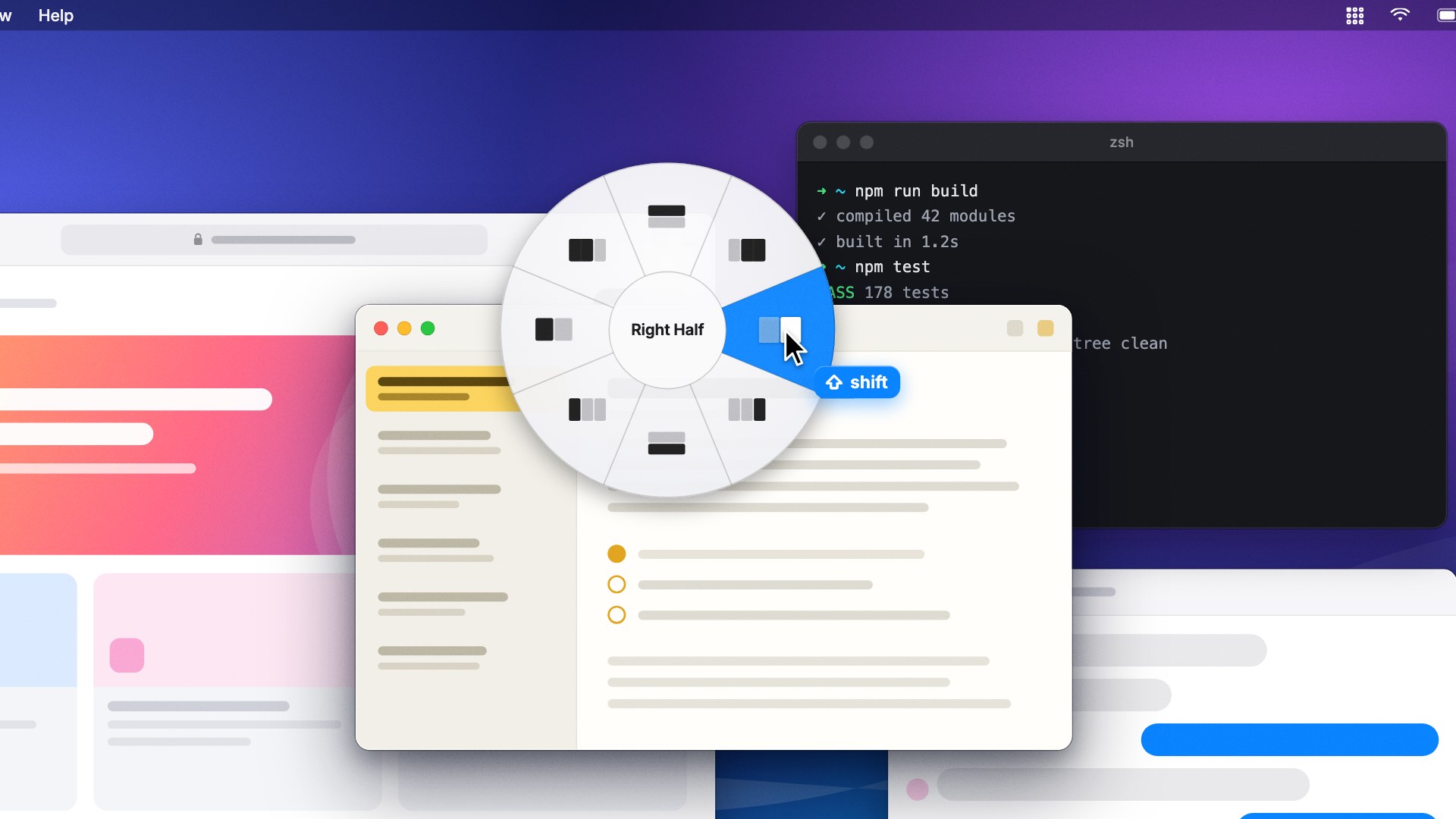
- How it works: hold Shift and start dragging a window. A round menu of layouts appears right under the pointer; move toward one and let go, and the window snaps there.
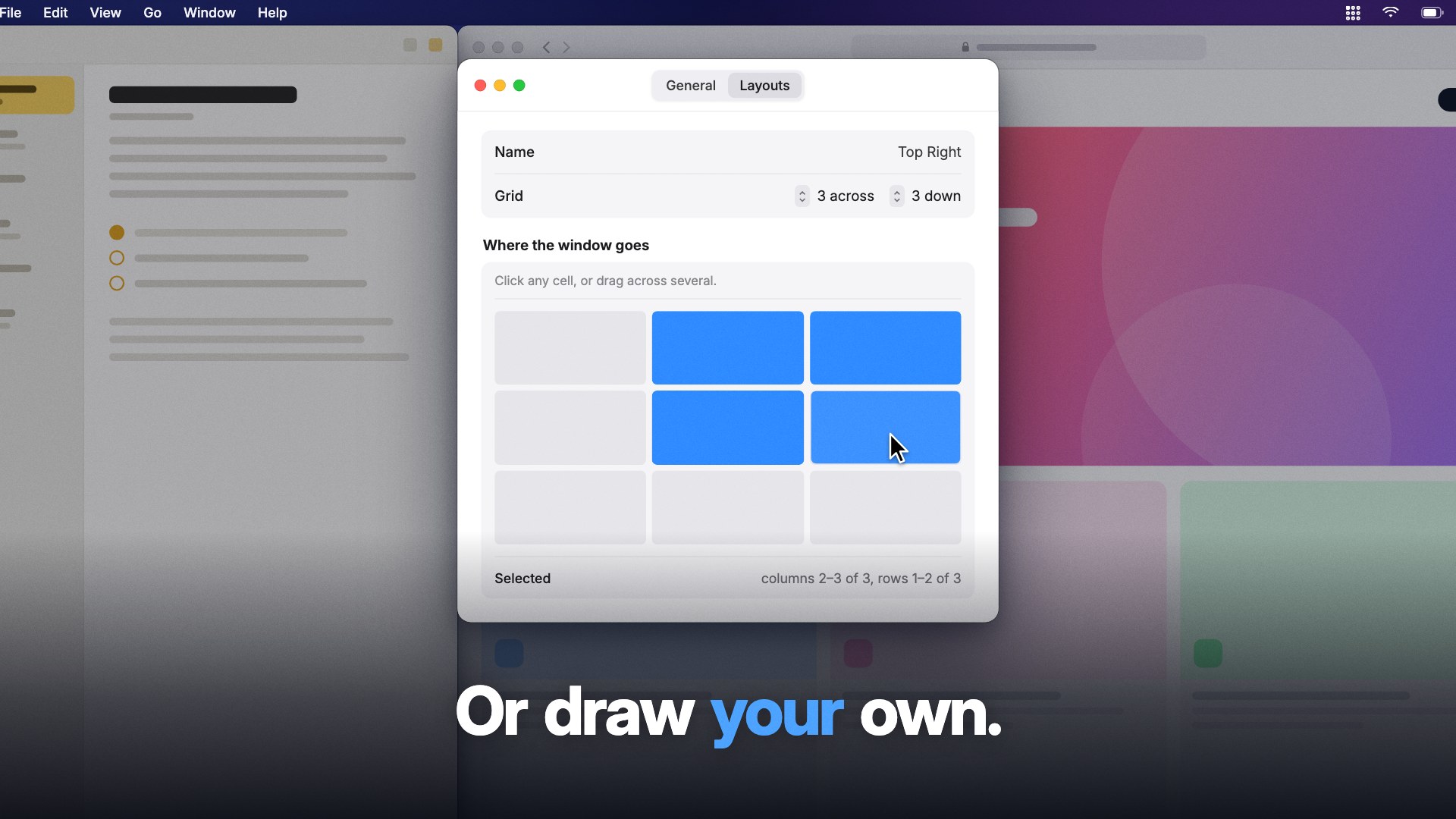
- What’s different: the menu opens where your pointer already is, so there are no shortcuts to memorise and no screen edge to aim for. You can draw your own layouts on a grid, and it learns which layout you usually pick for each app and opens on it.
- Price: $4.99, one-time. No subscription, no account, no analytics. 30-day refund.
- Requirements: macOS 13 Ventura or later, Apple silicon and Intel. Signed and notarised by Apple.
- Developer: App Dev by MWC, an independent developer.
- Website: windoworganizer.com
- Contact: appdevbymwc@gmail.com
Descriptions
One line
Hold Shift, drag a window, and pick where it goes — a Mac window manager with the menu right under your pointer.
Short
Window Organizer is a Mac window manager with nothing to memorise. Hold Shift and start dragging any window, and a menu of layouts opens under your pointer: halves, thirds, two-thirds, or layouts you draw yourself. Move toward one and let go. It even learns which layout you usually choose for each app. $4.99, once.
Long
Most window managers ask you to remember a keyboard shortcut for every layout, or to drag a window to exactly the right edge of the screen. Window Organizer does neither. Hold Shift and start dragging any window, and a round menu of layouts appears right under your pointer. Move toward the layout you want — halves, thirds, two-thirds, or any layout you draw yourself on a grid — and let go. The window snaps into place, edge to edge.
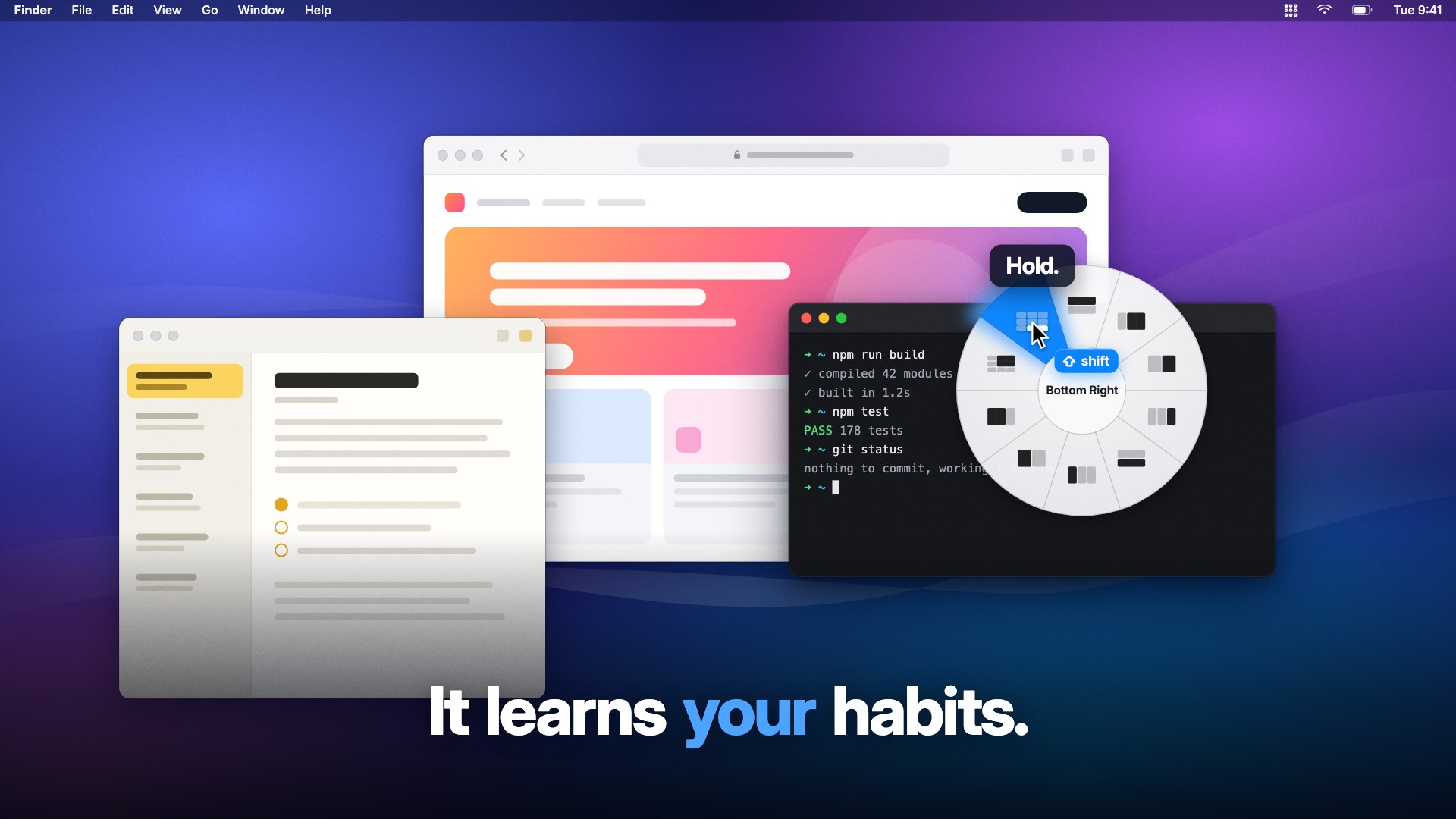
It also learns. After a few days the menu opens already on the layout you usually pick for that app, so the move you make most often becomes hold, drag, release. What it learns stays on your Mac: there are no accounts and no analytics.
Window Organizer lives in the menu bar, works across multiple displays, and costs a one-time $4.99 with a 30-day refund.
Images and film
Free to use in coverage of Window Organizer.
- App icon — PNG, 1024 × 1024
- The menu under the pointer — JPEG, 1920 × 1080
- Drawing a layout — JPEG, 1920 × 1080
- The menu opening on a learned layout — JPEG, 1920 × 1080
- The 22-second film — MP4, 1080p, with sound
- Social card — PNG, 1200 × 630